Create a multiple choice problem
In Yandex Contest, you can create a multiple choice problem. In this kind of problem, the user selects one or more correct answers from the suggested options.
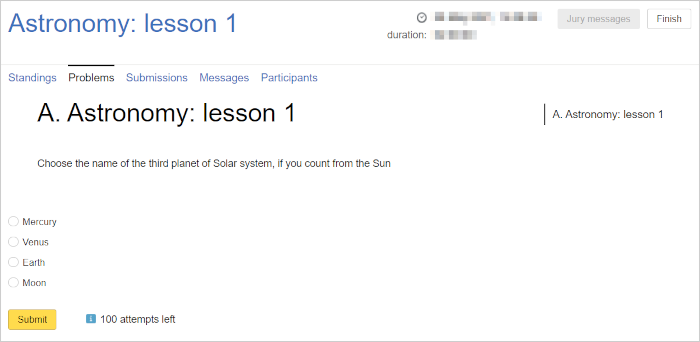
Example:
What's the name of the third planet from the Sun?
- Option 1: Mercury
- Option 2: Venus
- Option 3: Earth
- Option 4: The Moon
Correct answer: Earth.
1. Create a problem
- Go to Problems and click Create problem.
- Enter a name and click Create. The name will be displayed in the participant interface.
- Enter a short name. You can also add the name in English.
- In the Problem type field, select
TEST_PROBLEM.
2. Specify the options
- Select an answer type: One option for problems with a single correct answer or Several options for problems where multiple answers may be correct.
- Specify an option and click Add. Add all options like this.
- In the Correct? section, select Yes for all correct answers. Remember that One option type problems can only have one correct answer.
3. Add a problem statement
- Select Statements on the left.
- Select the TeX statement type.
- Select a language: ru for Russian or en for English.
- On the right, click Add statement.
- Click the row with the added statement, for example:
Russian (tex). - Enter the statement in the form and click Save.
For more information on creating problem statements, see Statements.